

Response
On-Call & Alerting
Schedules, escalation policies, and routing rules that get every alert to the right person — and keep escalating until someone takes ownership.
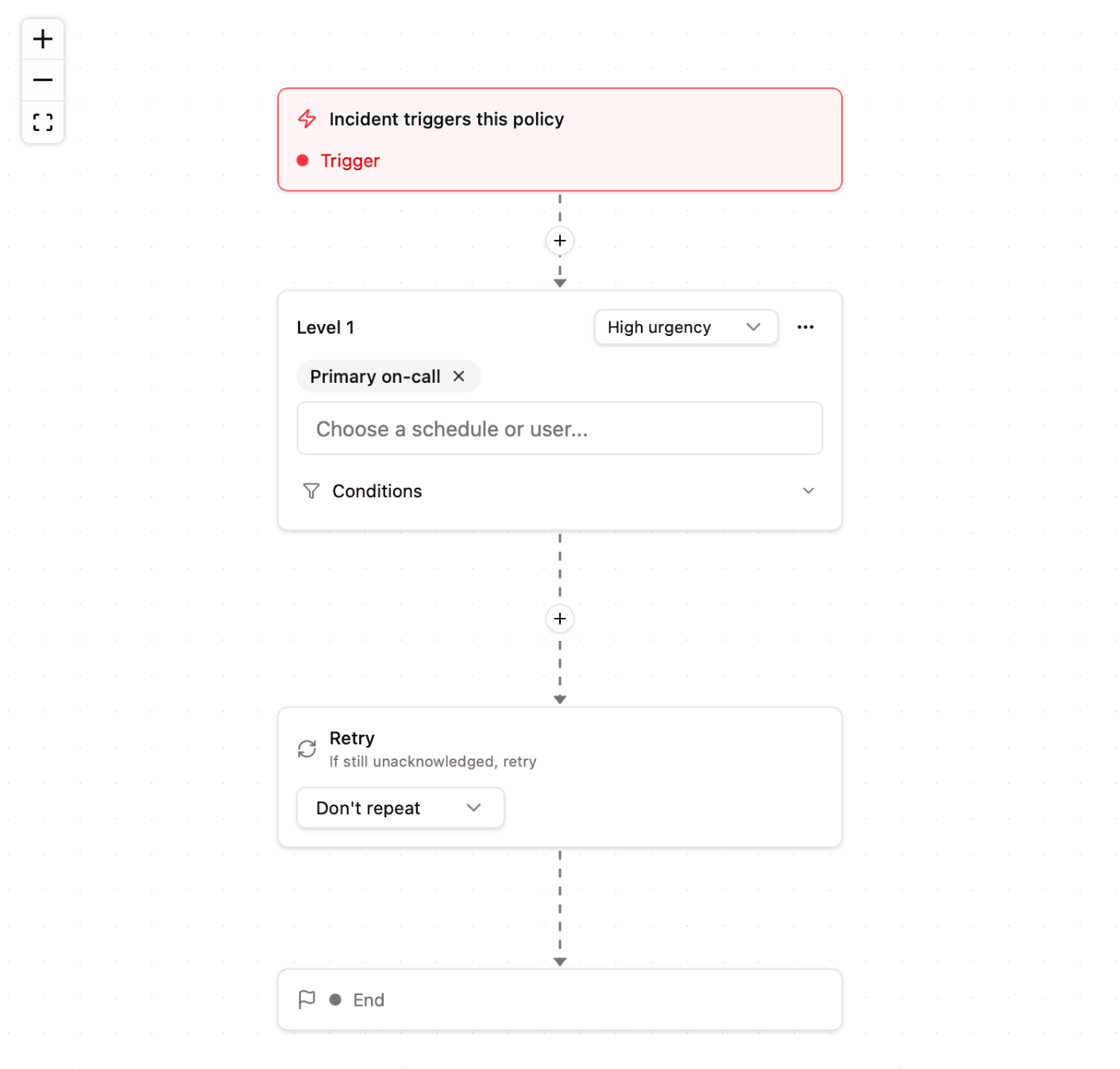

The right person, every time
Routing rules decide who hears about each alert based on project and severity — so the whole team isn't paged for everything.

On-call schedules
Build rotations for your teams with clear handoffs. Whoever is on call gets the page; everyone else keeps sleeping.

Escalation that never gives up
If an alert goes unacknowledged, Ionhour retries and escalates level by level until a human takes ownership.

Every channel your team lives in
Slack, Discord, Microsoft Teams, SMS, email, and webhooks — alerts arrive where your team already works.

Maintenance windows
Silence alerts during planned work so scheduled maintenance never pages anyone at 2 a.m.

A record of every alert
See what fired, who was notified, and on which channel — a full history of every alert your workspace has sent.
Response
From alert to acknowledgment
Build the response flow once — Ionhour runs it every time.
Create teams and rotations so it's always clear who's on call. Handoffs happen automatically — no spreadsheet required.
Pricing
Start with a free trial, scale as you grow
Alerting comes standard on every Ionhour plan — start with a channel or two and grow into schedules, escalation, and team-wide routing as your on-call practice matures.
Compare every plan on our pricing page. Every plan starts with a 14-day free trial.
Integrations
Alerts where you actually work.
Slack
Post alerts to any channel and keep your whole team in the loop.
Discord
Send incident notifications straight to your server.
SMS
Get a text the moment something needs your attention.
Webhooks
Pipe events into any tool with a custom HTTP callback.
Email
Reliable alerts delivered to any inbox.
Microsoft Teams
Route alerts into your Teams channels.
Get alerts in Slack, Teams, SMS, email, or wherever your team communicates. Set up in one click.
Never let an alert go unheard.
Try every feature free for 14 days. Cancel anytime.